 | ||||
 |  | |||
 |  |  |  |  |
| Instructor: |
| Daniela Castillo |
| Email: |
| castillod@smccd.net |
| Voice Mail: |
| 650-306-3407 |
| Office Hours: |
| Monday
10:00-1:00 |
| Lab Hours: |
| Friday
Same as Office |
Text
Book:
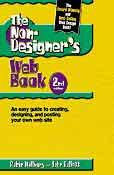
The Non-Designer’s Web Book.
2nd Edition by Williams and Tollett. Peachpit Press, 2000. ISBN: 0-201-71038-2
Course Description:
Introduction to the principles of design as they relate
to the Web. We will cover the use of web images and a Web page software
package to help you begin to create a home page that opens fast and captures
your audience. PREREQ: Basic computer skills, Internet skills, and access
to an Internet connected computer required. Email access.
Recommended: having created a basic WEB page.
| Attendance
3 lates = 1 absence 2 absences = ½ grade drop 3 absences = 1 full grade drop |
Grading
Assignments: 40% Presentations: 10% Class Participation: 10% Midterm: 15% Final: 25% |
Lectures:
1. Class Introduction, course overview. What are Web
Pages? What is the Internet? HTML vs. WYSYG.
2. Good Design and Bad Design Practices.
3. Color for the Web. Resolution, bit depth, File saving Formats.
4. Site Navigation Map and Usability. File Management.
5. What is Dreamweaver? Setting up your site in Dreamweaver.
6. Typography and Design. Text as images, text as content. Contrast and
readability issues. Text Formatting in Dreamweaver.
7. Layout of your pages. Building tables. How to make things stay in place.
8. Graphic User Interface Design (GUI). Button Rollovers (reactivity,
interactivity). Pop-up Windows.
9. Photoshop primer. What it is, what it does, making basic buttons and
backgrounds. Imageready and Animated Gifs.
10. Importance of Content Creation.
11. Copyright and internet ethics. What is Copyright Protection? Class
Discussion. Accessibility Guidelines.
12. HTML Frames. Setting them up, pros and cons.
13. Publishing your site. Free Server space vs. renting space. Acquiring
a URL, setting up your home on the Web. Domain Registration, prices, server
space and services.
14. FTP-ing to a remote server.
15. Search Engine Registration and Getting Noticed.
16. Flash Demo, Quitcktime demo, 3D on the Web Demo.
[syllabus :: resources :: assignments :: links :: main]
[Multimedia Program :: Cañada College :: Art Department]